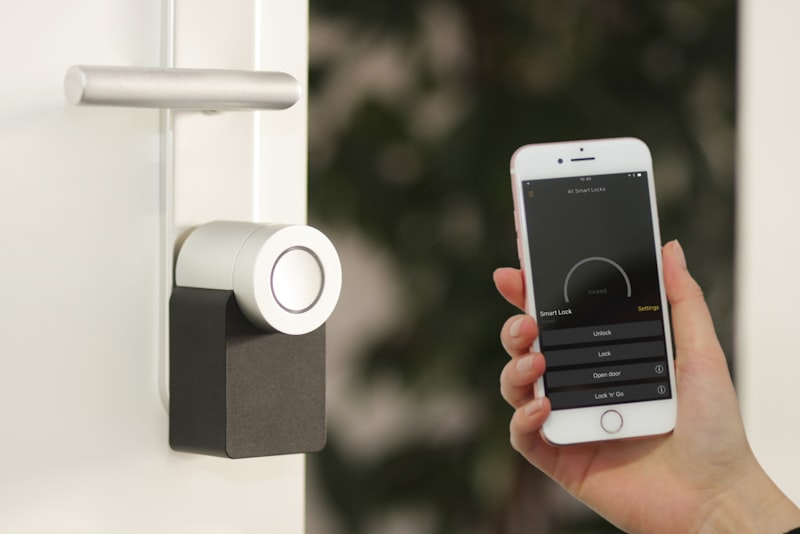
Pick your controller app first, buy one Matter-certified device to solve one specific annoyance, and get that working before you buy anything else. That single decision — Apple Home, Google Home, Amazon Alexa, or Samsung SmartThings — determines which app you open every day, so choose it based on the phones already in your house, not on a device that looked clever in a review.
Choose your controller before you buy a single bulb#
The "hub" people obsess over is really two separate things: the app you tap to control everything, and the physical radio that talks to low-power devices. Get the app right and the rest follows.
Match the app to your household's phones. If everyone carries an iPhone, use Apple Home (the Home app is built into iOS, and a HomePod mini or Apple TV 4K acts as the always-on hub that runs your automations when your phone is away). Android households on Gmail should use Google Home with a Nest Hub or Nest Mini. If your gear is a grab bag and you want the widest, cheapest accessory selection, Amazon Alexa with any Echo or Echo Dot is the most forgiving. Power users who want local control and no cloud dependency run Home Assistant on a Raspberry Pi or the Home Assistant Green box, but that is a hobby, not a starting point.
Why the app choice is the real lock-in#
Devices are increasingly portable across platforms thanks to Matter, but your automations, scenes, and voice routines live inside one app and do not transfer. If you build 20 automations in Alexa and later switch to Apple Home, you rebuild all 20 by hand. That is why choosing the app deliberately on day one saves you a painful migration in year two.
Understand Matter, Thread, Zigbee and Wi-Fi in plain terms#
Four words explain almost every compatibility headache. Learn them once and shopping gets simple.
- Matter is the application standard — the shared language that lets a bulb from one brand obey a hub from another. Look for the literal Matter logo on the box or product page. A Matter-certified device pairs by scanning an 11-digit numeric code or QR code, and it works in Apple Home, Google Home, and Alexa simultaneously.
- Thread is a low-power radio mesh (like Zigbee's modern successor) that many sensors and bulbs use. Thread devices need a Thread border router to reach your network. You probably already own one: HomePod mini, Apple TV 4K, Nest Hub (2nd gen), and Echo (4th gen) all include it.
- Wi-Fi devices connect straight to your router. Simple, but each one occupies an IP address and adds 2.4 GHz congestion — fine for five devices, rough for fifty.
- Zigbee and Z-Wave are older mesh standards. Still excellent (Philips Hue and many door sensors use Zigbee), but they require a brand hub such as the Hue Bridge or a SmartThings Hub.
The practical rule#
For anything battery-powered that reports status — contact sensors, motion sensors, leak sensors — prefer Thread or Zigbee, because they sip power and a coin cell can last a year or more. For plugs and always-powered switches, Wi-Fi is acceptable. Avoid filling your house with dozens of cheap Wi-Fi gadgets; that is the single most common cause of a laggy, unreliable system.
Solve one real problem first#
Do not buy a "starter kit" of ten things. Name one daily friction and fix it well.
Common first projects that reliably pay off:
- The porch light that gets left on. A Matter or Zigbee smart bulb plus a sunset-to-11pm schedule. Costs about $15 to $30 and you never think about it again.
- Fumbling for a switch with full hands. A smart bulb tied to a motion sensor, or a voice command through the speaker you already own.
- "Did I leave the garage open?" A contact sensor on the door that sends a phone notification if it stays open past 10 minutes.
Set it up, then live with it for a week. If it quietly disappears into your routine, you have learned what "done right" feels like. Only then buy the next thing.
A concrete first setup, step by step#
Here is the exact flow for the most common case — an iPhone household adding a smart bulb:
- Place your hub. Plug in a HomePod mini within Wi-Fi range and finish setup in the Home app. This gives you both a controller and a Thread border router.
- Update the app. Open Settings > [your name] > iCloud and confirm Home is enabled, and update iOS so Matter pairing works reliably.
- Pair the bulb. In the Home app tap + > Add Accessory, then scan the Matter QR code on the bulb or its manual. Assign it to a room like "Living Room" and give it a plain name.
- Name it for voice. Call it "living room lamp," not "Bulb 1." Voice assistants match on the words you actually say.
- Build one automation. Tap Automation > Create, choose "A Time of Day Occurs," set sunset, and have the lamp turn on at 40% brightness. Add a second automation to turn it off at your bedtime.
The Google Home and Alexa equivalents follow the same shape: add device, scan the Matter code, assign a room, create a routine.
The mistakes that quietly ruin smart homes#
Naming everything badly#
"Light 3" and "Plug 2" make voice control impossible and app screens unreadable. Name by location and function from the start — "kitchen ceiling," "bedroom fan" — because renaming later can break automations that reference the old name.
Overloading 2.4 GHz Wi-Fi#
Most cheap smart devices only join the 2.4 GHz band, not 5 GHz. Pile on 30 of them and your network chokes. This is exactly why Thread and Zigbee exist. If you already have a mesh router, keep smart devices spread across bands rather than clustered on one access point.
Skipping firmware updates#
Smart home gear is notoriously buggy at launch, and updates fix the exact flakiness that makes people give up. In Apple Home check Home Settings > Software Update; in the Hue app check Settings > Software update. Turn on automatic updates where offered.
Buying on hype#
A great deal of smart gear exists to dazzle in a two-minute demo and gather dust within a month — voice-controlled blinds you open by hand anyway, a fridge screen you never look at. If a device does not fix a problem you can name in one sentence, skip it.
Ignoring the "what happens when the internet dies" question#
Cloud-only devices become bricks during an outage. Prefer devices that support local control through Thread, Zigbee, or Matter's local operation, so a lamp still responds to a wall switch or hub even when your ISP is down.
Grow on purpose, not by accident#
After lighting, the usual additions are a smart plug (great for lamps and coffee makers), a thermostat like an ecobee or Nest that trims heating overnight, a video doorbell, and contact or motion sensors. Add them one at a time, a week apart. That cadence keeps the system reliable and stops you from drowning in half-configured gadgets you cannot remember pairing.
The finished result should be invisible: lights that fade up as you arrive, a thermostat that eases down at 10:30pm, a doorbell that names the visitor before you reach it. Nothing that demands daily fiddling.
FAQ#
Do I need a separate hub if I have a smart speaker?#
Often no. A HomePod mini, Nest Hub, or 4th-gen Echo already acts as your controller and, in most cases, a Thread border router. You only need a dedicated bridge for specific ecosystems — for example the Hue Bridge if you want full Zigbee-based Philips Hue features.
Is Matter enough on its own, or do I still need to check brands?#
Matter guarantees the device will pair and do its core job across Apple, Google, and Amazon. But advanced or brand-specific features (special light effects, custom sensor settings) sometimes only appear in the maker's own app. For basic on/off, dimming, and sensing, the Matter badge is enough.
Will a smart home raise my electricity bill?#
Individually, almost nothing. A smart bulb or plug draws a fraction of a watt on standby, and LED smart bulbs use far less than the incandescents they replace. Well-programmed schedules and a smart thermostat usually lower your bill by cutting lights and heating you forget to turn off.
What is the cheapest way to start?#
Buy one Matter-certified smart bulb ($15 to $30) and control it with a speaker you already own, or straight from your phone's Home app with no extra hardware. That one purchase teaches you the whole workflow before you spend more.